Key Takeaways
-
This article compares five platforms that display order flow and market depth data alongside price charts. Here are the essential insights to help you evaluate and select the tool that fits your trading approach.
-
Some exchange data feeds, such as CME Market by Order, publish individual orders at each price level, so software can show how the order book changes over time. The participants behind those orders stay anonymous, and any reading of their intent is an interpretation.
-
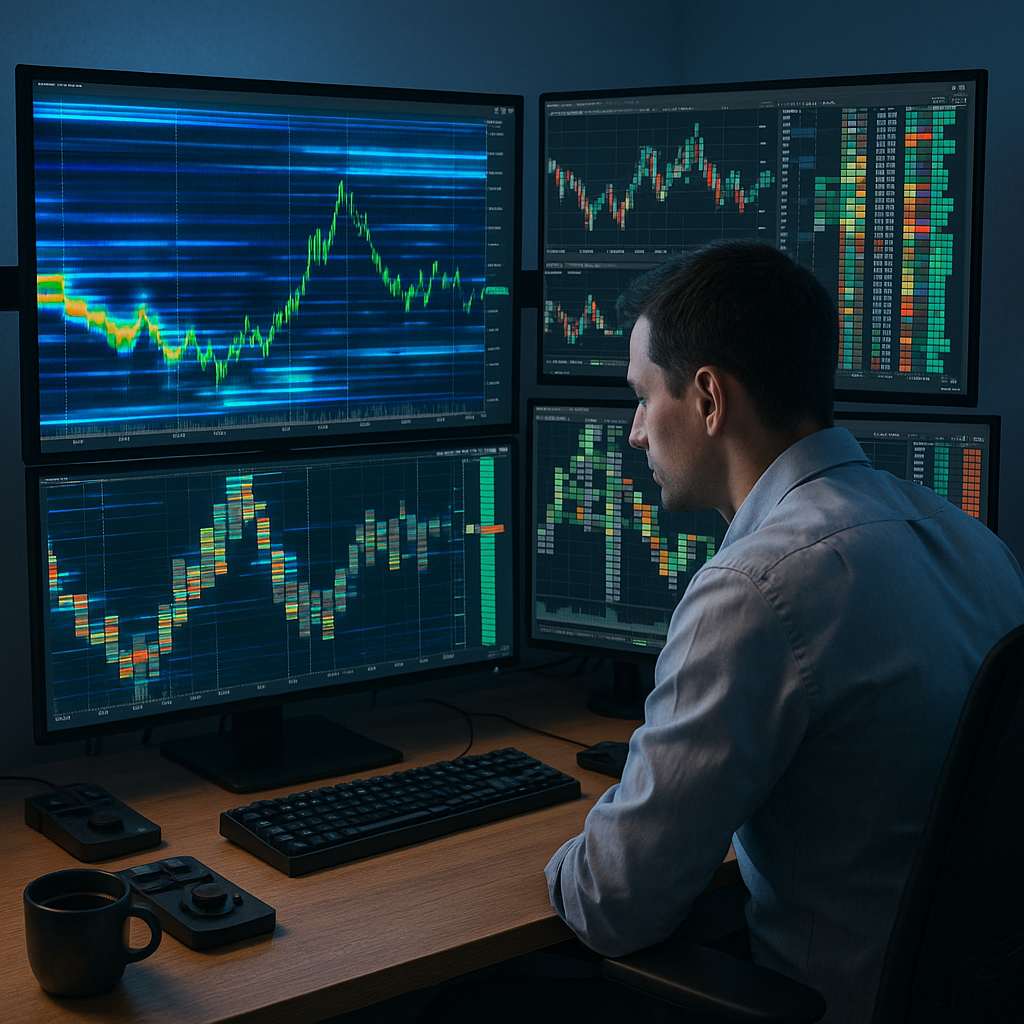
Several platforms show a depth-of-market (DOM) ladder or a heatmap of resting limit orders next to the price chart; Bookmap, for example, describes its heatmap as showing the historical limit order book.
-
These platforms can display price, trades and order book data in real time. For futures and stocks the real-time data is often a separate paid subscription; Bookmap, for example, states that real-time futures and stock market data fees are not included in its software subscription.
-
Many platforms offer both volume profile, which shows traded volume at each price level over a chosen period, and cumulative delta, the running difference between volume traded at the ask and at the bid. On some platforms cumulative delta is an add-on. Traders often read the two together.
Given these rapid advancements in charting technology, understanding your options for advanced visualization tools is more essential than ever. The following sections break down the features, strengths, and practical benefits of the top five platforms that bring order flow and market depth to life in today’s dynamic trading environment.
Introduction
In today’s markets, price is just one facet of a much larger picture. Research on 50 U.S. stocks found that over short time intervals, price changes are mainly driven by order flow imbalance at the best bid and ask (Cont, Kukanov and Stoikov). Modern charting solutions have fundamentally changed how this information is accessed, offering sophisticated order flow and market depth visualization capabilities. Alongside candlestick charts, these platforms show where visible liquidity sits in the order book and how trades interact with it. Exchange feeds keep participants anonymous, so the tools do not show who is trading.
These tools display liquidity in the order book and the balance between buying and selling as it changes. Let’s explore how five charting platforms extend classic technical analysis charts with order flow and market depth across various asset classes.
Advanced Order Flow Visualization Platforms
Sierra Chart
Sierra Chart offers order flow studies such as Numbers Bars, which the vendor says is known as footprint in other charting programs and which is built from tick by tick trade data with bid and ask volume. The study shows calculations such as bid and ask volume at each price level of a bar, on real-time and loaded historical tick data. It is an advanced feature included in Service Packages 5, 11 and 12.
Stay Sharp. Stay Ahead.
Join our Telegram Channel for exclusive content, real insights,
engage with us and other members and get access to
insider updates, early news and top insights.
 Join the Channel
Notable features include:
- Real-time tracking of trades and market depth, time stamped to the millisecond in current versions
- Customizable volume profile (Volume by Price study) with options to color and display bid volume and ask volume separately
- Trade DOM with market depth columns, plus the Market Depth Historical Graph study, which draws historical order book quantities at each price level as color-coded rectangles (an advanced feature in Service Packages 5, 11 and 12)
- Chart Replay for intraday charts, including market depth data when it has been saved, usable together with Trade Simulation Mode
Bookmap
Bookmap is built around a liquidity heatmap that plots resting limit orders across all price levels and updates in real time. The heatmap shows when large resting orders are added or pulled, and Nanosecond Zoom plots every update at high frame rates; automated tracking of large trades and sweeps (Market Pulse) is part of the MBO Bundle, included only in Global Premium and requiring a Market-by-Order data feed.
Key technical strengths include:
- Real-time display of changing order book levels; on the free Digital plan only crypto is real time, while US stocks and futures are delayed, and real-time futures and stock data requires a paid plan plus a separately billed data feed (Bookmap pricing)
- Replay of previously recorded market depth sessions, tick by tick, with simulated orders for review; Replay is not included in the free Digital plan
- Concentrations of resting liquidity show up as brighter zones on the heatmap; dedicated liquidity tracking (Liquidity Tracker Pro) is part of the MBO Bundle, included only in Global Premium and requiring a Market-by-Order data feed (Bookmap pricing)
- Multibook consolidates order books for the same instrument from different exchanges into one chart, mainly for crypto
Bookmap’s free Digital plan includes real-time data from more than 20 crypto exchange connections, such as Binance and Bitfinex (Bookmap pricing). For a general introduction to reading heatmaps, see our guide to heatmap hierarchy and visual data flow.
TradingView (Volume footprint and TPO from the Premium plan)
TradingView is a charting platform that also includes order flow tools: Volume Profile indicators are available from the Essential plan, while Volume footprint and Time Price Opportunity (TPO) charts require the Premium plan or higher (TradingView pricing).
Key features include:
- Volume Profile indicators (session, visible range, fixed range, periodic and auto anchored), available from the Essential plan, not on the free plan
- A Depth of Market (DOM) panel, available on all plans, which shows order book data only when the account is connected to a supported broker that provides Tier 2 data
- Volume footprint charts (Premium plan or higher), which show buy and sell volume, their difference and total volume at each price level within a bar
- Multi-timeframe analysis, available on all plans including the free one, which lets you view a ticker or indicator calculated on another timeframe on the same chart
TradingView describes its infrastructure as cloud-based, with access to market data 24/7. It covers indices, stocks, ETFs, bonds, forex, futures and crypto, and TradingView says its platform is used by 100 million traders.
Jigsaw Trading
Jigsaw Trading builds order flow software; its daytradr platform is built around a DOM (price ladder) called Depth & Sales. daytradr bundles real-time tools such as Depth & Sales, Reconstructed Tape, Power Meters and Pace for reading order flow during the session.
Strengths include:
- Reconstructed Tape, which recombines trades split by the CME or by trading bots
- Its own order flow indicators on daytradr charts, such as JT Cumulative Delta and JT FootPrint Stats
- A Strategy Manager that places predefined exit brackets (stop loss and take profit) when an order fills; live trading requires the Active Trader Package (50 USD per month), which the Institutional package includes for 1 year
- An order book imbalance view in Auction Vista that shows whether resting offers or bids dominate; Jigsaw notes that more offers does not necessarily mean price will go down
NinjaTrader 8
NinjaTrader 8 (now marketed as NinjaTrader Desktop) offers standard charting, and its Order Flow+ suite adds order flow, volume and market depth studies; Order Flow+ is included with a Lifetime license or unlocked by funding a live NinjaTrader account.
Feature set includes:
- Order Flow Volume Profile, available as an indicator and as a drawing tool, part of the Order Flow+ suite (Lifetime license or funded live account)
- Order Flow+ indicators and bar types, including Cumulative Delta, Volumetric Bars, Trade Detector and VWAP (Lifetime license or funded live account)
- SuperDOM price ladder showing market depth, plus the Order Flow+ Market Depth Map, which plots Level II depth on the chart (10 levels per side by default; requires Level II data and Order Flow+)
Integration and Selection Criteria
Before choosing any platform, it’s important to understand how their data quality, speed, visualization methods, and specialized strengths align with your needs.
Data Sources and Connectivity
Where each platform’s data comes from:
- Sierra Chart: its own Denali Exchange Data Feed, described by the vendor as low latency with unfiltered market depth from the exchanges; it requires Service Package 10, 11 or 12 plus separate exchange fees.
- TradingView: cloud-based infrastructure; the company does not publish a latency figure.
- Jigsaw: connects through supported brokers and data feeds (Tradovate, CQG, Rithmic, NinjaTrader, StoneX, IQFeed) and integrates directly with Interactive Brokers TWS, NinjaTrader 8 and MT5.
Visualization Methods Comparison
Each platform brings unique visualization experiences:
- Heatmaps: Bookmap colors resting liquidity on a scale from black through blue, yellow and orange to red by default, with upper and lower cutoffs set by a percentile slider or an exact number of contracts.
- Numbers Bars: Sierra Chart can display bid volume and ask volume at each price level of a bar (Service Packages 5, 11 and 12).
- Order Flow Indicators: Jigsaw provides real-time alerts (for example iceberg alerts) and states that they are not buy or sell signals.
- Market Depth Analysis: NinjaTrader’s SuperDOM shows market prices, market depth, the inside market, PnL, positions and pending orders in one price ladder, and orders can be submitted from it.
- Multi-Timeframe Analysis: TradingView offers multi-timeframe analysis on all plans, across the markets it covers.
Platform Coverage
Different markets and strategies call for tailored solutions:
- Sierra Chart: its Denali feed provides real-time and historical data for CME Group exchanges, EUREX, CFE, NASDAQ TotalView and US equities.
- Bookmap: supports crypto exchanges through free direct connections, plus futures and US stocks through paid data feeds; spot forex is not among the connections listed on its connectivity page.
- TradingView: covers several asset classes, including stocks, ETFs, bonds, forex, futures and crypto.
- Jigsaw: focused on order flow trading in futures; stocks are supported only through IQFeed and Interactive Brokers (daytradr).
- NinjaTrader: combines standard technical analysis charting with the Order Flow+ studies on the same charts (Order Flow+ requires a Lifetime license or a funded live account).
Implementation Considerations
Technical Requirements
Hardware needs differ by platform; Bookmap’s system requirements are a useful reference:
Stay Sharp. Stay Ahead.
Join our Telegram Channel for exclusive content, real insights,
engage with us and other members and get access to
insider updates, early news and top insights.
Join the Channel
- Bookmap, for example, lists a minimum of 8 GB RAM, 16 GB or more for light use and 32 GB for heavy use; check each vendor’s system requirements page.
- Vendors recommend multi-core processors; Bookmap, for example, recommends 4 or more cores for light use and 8 or more for heavy use.
- A stable internet connection is needed for real-time data; Bookmap, for example, recommends at least 50 Mbit/s for light use and 100 Mbit/s with low packet loss for heavy use.
- Some vendors recommend an SSD for stored market data; Bookmap, for example, recommends an SSD with 100 GB free for its data folder.
Cost-Benefit Analysis
Platform costs differ based on features and user needs (prices checked on 30 October 2026; they change, so check the vendor pages before buying):
- Sierra Chart: 26 to 56 USD per month depending on the Service Package, with exchange fees for real-time data billed separately.
- Bookmap: free Digital plan; paid plans are $49 (Global), $99 (Global+) and $199 (Global Premium) per month billed monthly, or $39, $79 and $158 per month billed yearly, with futures and stock market data billed separately (Bookmap pricing).
- TradingView: paid plans list at $14.95 (Essential), $34.95 (Plus), $69.95 (Premium) and $239.95 (Ultimate) per month with monthly billing, and less per month with annual billing; Volume footprint requires Premium or higher (TradingView pricing).
- Jigsaw: Foundation 579 USD one-time (no live trading), Institutional 1,879 USD one-time (includes 1 year of the Active Trader Package), and the Active Trader Package at 50 USD per month for live trading (Jigsaw pricing).
- NinjaTrader: Free plan, a Monthly plan at $99 per month, or a Lifetime plan at a one-time $1,499; per-side commissions apply on every plan (NinjaTrader pricing).
Conclusion
In a market environment defined by speed, complexity, and competition, precision and insight are non-negotiable. The platforms covered here add order book and order flow views to standard price charts. From Sierra Chart’s footprint, market depth and replay tools for futures traders to Bookmap’s heatmap and TradingView’s broad market coverage, the right fit depends on a trader’s focus, strategy, and technical requirements.
For the mental side of trading with these tools, see our mindset and psychology articles.
Risk warning: trading futures, stocks, forex and cryptocurrencies involves a substantial risk of loss, no charting tool guarantees profits, and this article is for information only and is not investment advice.

Leave a Reply